
Assignment 6 · Independent digital marketing coursework · Prepared September 27, 2026
This project uses a separate Apple conversation in ChatGPT to turn a provisional student persona into a content plan. The selected guide focuses on project requirements, software, storage, connections and total setup costs.
Customer Persona
Information needed
Purpose: identify what is known before asking AI to create a persona. I supplied the existing research summary and asked ChatGPT to separate evidence, missing information and assumptions.
Starting point: Apple customer-persona research.
Prompt 1 — research inputs and missing information
Assignment 6 is a university digital marketing process blog for Apple. This is a new conversation separate from Nike. Use only this supplied summary, not other chats or browsing: my earlier persona research at https://jackhaggettmarketing.com/apple-customer-persona-the-student-video-creator/ considers Alex, a hypothetical 22-year-old business student in Sioux Falls with a part-time campus job and an assumed $24,000 personal annual income. All demographics, income and behavior are fictional assumptions, not Apple customer data. Proposed goals: reliable coursework, editing student videos, building a portfolio, portability, adequate storage and an affordable total setup. Barriers: confusing model choices, accessories/software costs, deciding needs versus wants. Possible research channels: YouTube workflow demos, comparisons, reviews and education offers. Prior sources included Apple’s college page and creator-software page, ACSI aggregate PC satisfaction data and a small nonrepresentative set of incentivized Best Buy MacBook reviews. These do not establish student preferences or product performance. No interviews, Apple analytics, sales data, measured keyword metrics or original product tests are available. First list information needed, information provided, missing/non-providable information and assumptions requiring validation. Do not generate the final persona yet. Keep this concise and clear, without inventing any data, testimonials, prices or current product specifications. Do not publish or send anything.
Full ChatGPT research-audit result
Assignment 6 — Apple Digital Marketing Process Blog: Research Audit Information Needed Clear definition of the target persona and intended audience segment. Demographic and situational characteristics relevant to the persona. Primary goals and intended Apple-related use cases. Purchase barriers, concerns, and decision factors. Likely research and information-gathering behaviors. Evidence supporting claims about student needs, preferences, and buying behavior. Reliable information about relevant Apple offerings and education resources. Evidence distinguishing necessities from optional wants for the persona. Information Provided Persona concept: Alex, a hypothetical 22-year-old business student in Sioux Falls. Employment: Part-time campus job. Assumed income: $24,000 personal annual income. Goals: Reliable coursework, editing student videos, building a portfolio, portability, adequate storage, and an affordable total setup. Barriers: Confusing model choices, accessories/software costs, and distinguishing needs from wants. Possible research channels: YouTube workflow demonstrations, comparisons, reviews, and education offers. Previous sources: Apple college and creator-software pages, ACSI aggregate PC satisfaction data, and a small nonrepresentative set of incentivized Best Buy MacBook reviews. Important limitation: These sources do not establish student preferences or product performance. Missing / Non-Providable Information Actual Apple customer demographic or behavioral data. Interviews or survey responses from students resembling Alex. Apple analytics or sales data. Measured search volume, keyword difficulty, or other keyword metrics. Original product testing or measured performance results. Evidence that students generally share Alex’s stated goals or barriers. Representative evidence that students prefer particular Apple products, features, configurations, or research channels. Reliable conclusions about product performance based on the available review sample. Assumptions Requiring Validation Alex’s age, location, student status, employment, and $24,000 annual income are fictional persona assumptions, not observed customer characteristics. Alex regularly edits student videos and wants to build a portfolio. Portability, storage, reliability, and total setup affordability are important to Alex. Model choice and additional software/accessory costs create meaningful purchase barriers. Alex would use YouTube demonstrations, comparisons, reviews, and education offers during research. Alex represents a useful marketing audience for Apple.
Research status: The supplied information is enough to develop a hypothetical persona later, provided fictional assumptions remain clearly labeled and are not presented as findings about real Apple customers.
Result summary: a clear audience segment, student project requirements, purchase barriers, reliable compatibility information, total setup costs, research habits and evidence separating essential needs from optional wants.
Non-providable information:
No student interviews or surveys, Apple customer demographics, company analytics, sales information, keyword metrics or original product tests were available. Aggregate satisfaction data and a small set of incentivized reviews do not establish student preferences or the performance of a particular setup.
The audience description is a planning hypothesis. Demographics, income, motivations and platform habits must be checked through interviews or other audience research before being treated as observed behavior.
Generating customer persona
Purpose: turn the research limits into a useful provisional audience description. The following prompt also requests keywords and blog ideas, which are shown in their matching sections below.
Prompt 2 — persona, five keywords and three ideas
Using this audit, create a provisional Alex persona in 120–160 words. Clearly label demographics and behaviors as assumptions, and do not invent quotations. Then give exactly five suggested SEO phrases, each with search intent and relevance to Alex; these are unvalidated ideas, not measured search demand. Then give exactly three blog ideas with one-sentence explanations. Prioritize a practical Apple laptop setup checklist for a student video creator: project needs, compatibility, storage, ports, full costs and a representative workflow test. Avoid particular current models, prices, measured performance or purchase recommendations. Keep the three sections separate.
Result: Alex, the student video creator
Alex is a provisional, hypothetical 22-year-old business student in Sioux Falls. Assumed demographics: Alex works a part-time campus job and has an assumed personal annual income of $24,000. These details are fictional planning assumptions and are not based on Apple customer data. Assumed behaviors and needs: Alex uses a laptop for reliable coursework, editing student video projects, and building a creative portfolio. Portability, adequate storage, and keeping the total setup affordable are assumed priorities. Alex may find laptop choices confusing, especially when separating necessary features from wants and accounting for accessories or software. Assumed research behavior: Alex may use YouTube workflow demonstrations, product comparisons, reviews, and education offers while researching options. Because no interviews, analytics, measured keyword data, sales data, or original product testing are available, these behaviors should be treated as hypotheses requiring validation rather than evidence of broader student preferences.
Search engine optimization (SEO)
Keyword research
Purpose: map the persona’s questions to potential search phrases. Prompt 2 requested exactly five phrases, their search intent and their relevance. These are AI suggestions; no search volume, keyword difficulty or ranking results were measured.
- Apple laptop setup for student video editing — Informational — Matches the assumed need to balance coursework and video projects.
- student video editing laptop checklist — Informational — Helps evaluate needs systematically before choosing a setup.
- how much storage for student video editing — Informational — Addresses Alex’s assumed concern about adequate storage.
- laptop ports needed for video editing students — Informational — Supports checking compatibility with peripherals and workflows.
- total cost of student video editing setup — Commercial investigation — Reflects Alex’s assumed concern about software, accessories, and full setup costs.
Editorial choice: use “Apple laptop setup for student video editing” as the main topic. The selected article addresses that intent with a practical checklist. A useful next step would be to validate these phrases in a keyword tool and inspect search results before prioritizing them.
Content creation
Blog post idea.
Purpose: turn the keyword themes into useful articles. Prompt 2 produced these three options:
- Student Checklist: Choosing an Apple Laptop Setup for Video Creation — Walk through project needs, software and accessory compatibility, storage, ports, full setup costs, and a representative workflow test before making a decision.
- Needs vs. Wants in a Student Video-Creation Setup — Help students separate requirements for coursework and typical video projects from optional features or accessories that may increase total setup costs.
- Test Your Student Video Workflow Before Choosing a Laptop Setup — Show how a hypothetical student could map a representative project from file transfer and storage through editing and export to identify compatibility and workflow requirements before considering specific products.
Selected idea: Student Checklist: Choosing an Apple Laptop Setup for Video Creation. It connects Alex’s assumed creative goals with a practical requirements checklist and includes the accessories and software that a laptop-only budget can overlook.
Writing a blog post.
Purpose: expand the selected idea into the required 500-word article.
Article prompt 1
Choose idea 1: Student Checklist: Choosing an Apple Laptop Setup for Video Creation. Write a 500-word article excluding the title, in five paragraphs. Use approachable student language and practical steps for project requirements, software compatibility, storage and backup, ports, total costs and a representative workflow test. Avoid invented personal testing, product recommendations, current models, prices, statistics, performance guarantees or specific technical thresholds. Direct readers to current official Apple technical specifications and software requirements for anything model dependent. End with a useful checklist CTA. Plain text only.
The generated article below is 500 words by whitespace count, excluding the title. It was reviewed for unsupported prices, model specifications, test results and endorsements; none are asserted.
Student Checklist: Choosing an Apple Laptop Setup for Video Creation
Choosing an Apple laptop setup for student video creation starts with the work you need to complete, not with a product name. Write down the kinds of projects you expect during a semester, such as class assignments, portfolio pieces, short social videos, or longer edits. Note the cameras or phones you may use, the file types they create, and any other coursework the laptop must handle. This gives you a practical requirements list instead of a wish list. When a requirement depends on hardware or operating system support, check Apple’s current official technical specifications before deciding whether a setup fits.
Next, check software compatibility before assuming every editing tool will work with every setup. Make a list of the applications you expect to use for editing, graphics, audio, coursework, communication, and file sharing. Visit each software developer’s official system requirements and compare them with Apple’s current technical specifications. Also consider plug-ins, fonts, external devices, or school software that might be part of your workflow. Compatibility can change as software and operating systems are updated, so avoid relying only on an old review or video. Your goal is simple: confirm that the tools required for your projects can work together.
Storage deserves its own plan because video projects can involve original footage, project files, graphics, audio, exports, and backups. Think about what needs to stay on the laptop and what could be kept on external storage or another backup location. Build a simple folder plan for active projects, completed work, and duplicate copies of important files. Then check the ports and connection options required by your camera, card reader, external drive, display, headphones, or other equipment. If an adapter or hub would be necessary, include it in your setup plan. Verify model-dependent connection details through Apple’s current official technical specifications.
A student budget should consider the whole setup rather than only the laptop. Create a list that includes software, external storage, adapters, hubs, protective equipment, peripherals, warranties or coverage, and other tools you would need. Separate each item into “required now,” “possibly later,” and “nice to have.” This makes it easier to spot extras that are increasing the total cost without solving a project need. Education offers and software terms can also change, so check current official pages rather than assuming an older deal still applies. Comparing total setup costs can give you a clearer picture of what fits your budget.
Finally, test your plan against a representative workflow before making a decision. Choose a student video project and map every step: capture footage, transfer files, organize media, open the editing software, add graphics or audio, save the project, export the finished video, submit or upload it, and back everything up. You do not need to predict performance. Instead, use the workflow to identify missing connections, storage needs, software requirements, or costs. Before choosing your setup, run this checklist: define your projects, confirm software compatibility, plan storage and backup, check ports and accessories, calculate full costs, and test a representative workflow.
Social media post
Purpose: adapt the project into a concise LinkedIn post with a company mention and links.
Social post and image-brief prompt
Give two text-only outputs for the article. First write an 80–120 word LinkedIn post explaining my independent digital marketing class process: fictional Alex persona to keyword ideas to a student Apple video-creation setup checklist. Do not claim Apple endorsement or that I personally tested equipment. Include @Apple as a mention placeholder, and end with https://jackhaggettmarketing.com/ and [BLOG URL AFTER REVIEW]. Second WRITE one prompt I can paste into Leonardo.AI: 16:9 editorial hero visual of a tidy student desk with an unbranded silver laptop showing an abstract editing timeline without readable text, a compact camera, external drive and notebook, soft window light; no logo, celebrity, trademarked interface or readable text. Return the two text drafts only; do not call any image tool.
View the published LinkedIn post (includes the Apple company mention).
LinkedIn post:
For my latest digital marketing class project, I worked through the content planning process from persona to finished blog concept. I started with Alex, a fictional student video creator, then developed unvalidated keyword ideas around the needs and questions that persona might have.
From there, I turned the research into a practical student checklist for evaluating an Apple laptop setup for video creation, focusing on project requirements, software compatibility, storage and backup, ports, total setup costs, and workflow planning.
This is an independent class project and is not endorsed by Apple. I did not personally test any equipment.
Homehttps://jackhaggettmarketing.com/using-ai-to-plan-apple-content-for-student-video-creators/
Image creation
Purpose: use ChatGPT to write a relevant image brief, then generate an illustrative scene using OpenAI image generation through Codex. The text prompt above produced this initial image brief:
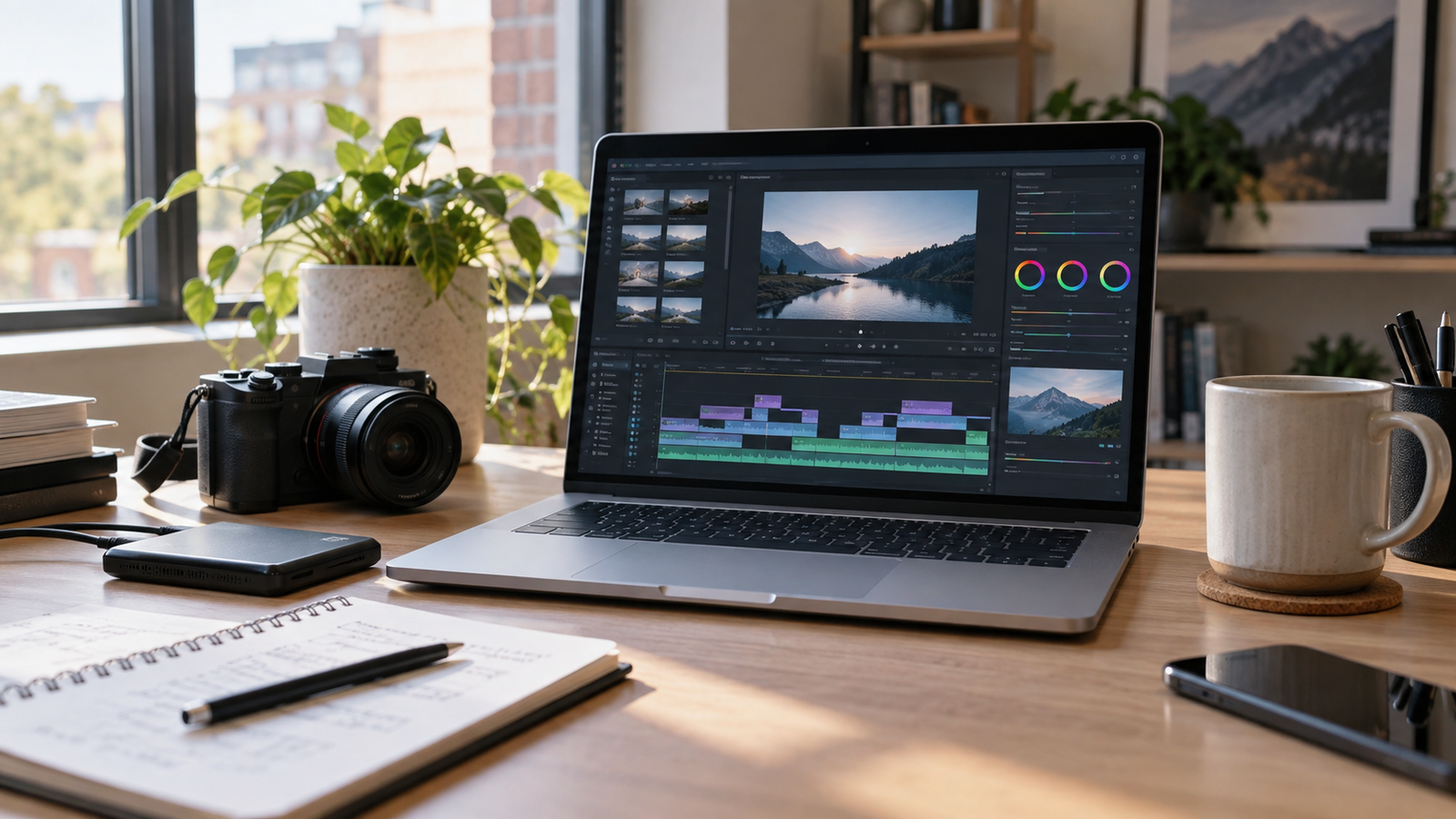
Create a 16:9 editorial hero visual of a tidy student desk in a modern study space. Feature an unbranded silver laptop displaying an abstract video-editing timeline with simple visual shapes and panels but no readable text or recognizable interface. Place a compact camera, external drive, and notebook naturally around the laptop to suggest a student video-creation workflow. Use soft natural window light, realistic materials, subtle shadows, balanced composition, and a clean professional editorial photography style. No logos, brand marks, celebrities, trademarked interfaces, recognizable branded products, watermarks, or readable text anywhere in the image.
Final prompt used in OpenAI image generation
Use case: photorealistic-natural. Asset type: 16:9 editorial hero image for a university digital marketing blog about planning an Apple laptop setup for student video creation. Create a realistic editorial photograph of a tidy student desk in a modern study space. Feature an unbranded silver laptop displaying an abstract video-editing timeline with simple visual shapes and panels but no readable text or recognizable branded interface. Place a compact camera, external drive, and notebook naturally around the laptop to suggest a student video-creation workflow. Use soft natural window light, realistic materials, subtle shadows, balanced composition, and a clean professional editorial photography style. No people, logos, brand marks, celebrities, trademarked interfaces, recognizable branded products, watermarks, or readable text anywhere. Wide horizontal 16:9 composition, finished professional editorial quality.
Tool used: the built-in OpenAI image generator through Codex. Leonardo.AI was not used. The assignment introduction says “ChatGPT or Leonardo.AI,” but the required template specifically names Leonardo.AI. This project documents the OpenAI workflow and the actual prompt used.
Result: one 16:9 image was generated and selected after visual review. The scene supports the article’s student setting and illustrates a planning concept; it is not a photograph of an actual Apple product. The selected image is shown below.
Last remarks
A separate conversation kept this project focused on the student creator’s workflow. AI helped organize the content, while the evidence limits kept hypothetical preferences separate from real customer findings. A useful next step is to interview student creators about their latest project and build a real compatibility and cost checklist. The selected desk image connects the checklist to Alex’s video project workflow. The image-generation tool and prompt are documented above.
Suggested evaluation after publication: compare search impressions and clicks for the article, guide engagement, and LinkedIn link clicks. These are proposed measures, not results. Brand sales or conversion impact cannot be inferred without relevant analytics.
The 500-word count applies only to the generated article above, excluding its title. Process notes, prompts, persona, keywords and LinkedIn copy are separate.
Sources and process record
- Original Apple persona post and its research references
- Apple resources for college students
- Apple on LinkedIn
Text process: ChatGPT, a new Apple conversation started September 27, 2026, separate from the Nike conversation as required by Assignment 6; outputs reviewed and assembled with Codex. Prompt wording is recorded above. No original interviews, product testing or measured keyword research were performed.